

Parish Audio
Flash Sale
40% OFF
All Plugins and Bundles
Through November 19
Discount applied automatically
Download Information
Availability: In stock. This product is delivered as an instant digital download.
Download the plugin installer for your device here.
To obtain a license, purchase the plugin or start a subscription free trial (can be cancelled any time).
After installation, open the plugin in your DAW and sign in with your email address and password to unlock it.
Product Demo
Warpfield
Discover new melodies, rhythms, and textures hidden inside your music with Warpfield. This creative audio manipulation plugin lets you stretch, reverse, stutter, repeat, and warp sounds in time, turning familiar synths, drums, vocals, and instruments into something completely new.
5
(1 review)
Purchase this plugin
$69.95
$41.97
Sale price applied automatically at checkout.
One-time purchase. Add this plugin to your cart and own it permanently.
Subscription
Try it free for 7 days with an all access subscription.
$9.95 per month for access to all plugins. Cancel anytime.
Overview
What if you could take a synth melody you've already written and turn it into an entirely new musical idea? Or transform a simple drum loop into a completely different groove? Warpfield gives you a creative way to experiment with time, rhythm, and movement, opening up possibilities you might never have discovered from the original recording. At the heart of Warpfield are six processing modes: Stretch, Reverse, Stop, Stutter, Repeat, and Warp. Each one gives you a different way to manipulate audio as it plays. Create chopped-up vocal effects, reverse musical phrases, add tape-style slowdowns, or turn familiar patterns into shifting rhythms and unexpected textures. Whether you're looking for a subtle variation or a dramatic transformation, there's plenty of room to experiment. Stretch is especially interesting when you're working with melodies and chords. By capturing sections of audio and playing them back at different speeds, Warpfield can reveal entirely new melodic patterns from the notes you've already played. A simple synth sequence might produce an unexpected countermelody, while a piano or guitar part can become a slower, evolving phrase that adds a new layer to the arrangement. Blend the effect with the original and you can create musical combinations that would be difficult to come up with intentionally. For rhythmic sounds, Stutter and Repeat open up another set of possibilities. Capture small pieces of a drum loop, percussion track, or synth sequence and repeat them at different intervals to create new grooves. You can sync the timing to your DAW's tempo or use independent millisecond settings for rhythms that move within the beat. Try unusual loop lengths to create syncopated patterns, rhythmic variations, and glitchy effects that reset with the processing window. Warpfield also gives you plenty of ways to add movement and character. Reverse flips captured sections backward, Stop creates tape-style slowdowns and accelerations, and Warp introduces shifting playback speeds for everything from gentle pitch movement to more dramatic, unpredictable effects. You can leave the processing running continuously or use Triggered mode to bring the effect in at specific moments. Getting started is straightforward, but there's plenty of depth when you want to explore. Adjust the capture window, playback timing, and mode-specific controls to experiment with different patterns. Smooth helps soften transitions between fragments, while Mix lets you blend the transformed audio with your original track. Sometimes just a small amount of Warpfield underneath the source is enough to create an entirely new musical layer. Whether you're producing electronic music, experimenting with sound design, or looking for fresh ideas in an existing arrangement, Warpfield gives you a different way to work with audio. Use it on synths, arpeggios, drum loops, vocals, guitars, piano, or entire musical phrases and see where the results take you. From subtle rhythmic movement to glitchy stutters, tape effects, and unexpected new melodies, Warpfield is a versatile time manipulation VST plugin built for creative exploration. Available in VST3 format for Windows and VST3 and AU formats for macOS.
Highlights
Discover new melodies, countermelodies, and musical phrases by stretching and reshaping audio you've already recorded.
Transform drum loops, synth sequences, vocals, and other tracks into new rhythms, stutters, and glitchy effects.
Explore six creative processing modes: Stretch, Reverse, Stop, Stutter, Repeat, and Warp.
Sync effects to your DAW's tempo or experiment with independent timing, with Continuous and Triggered modes for flexible control.
Available for Windows (VST3) and macOS (VST3 and AU).
Controls
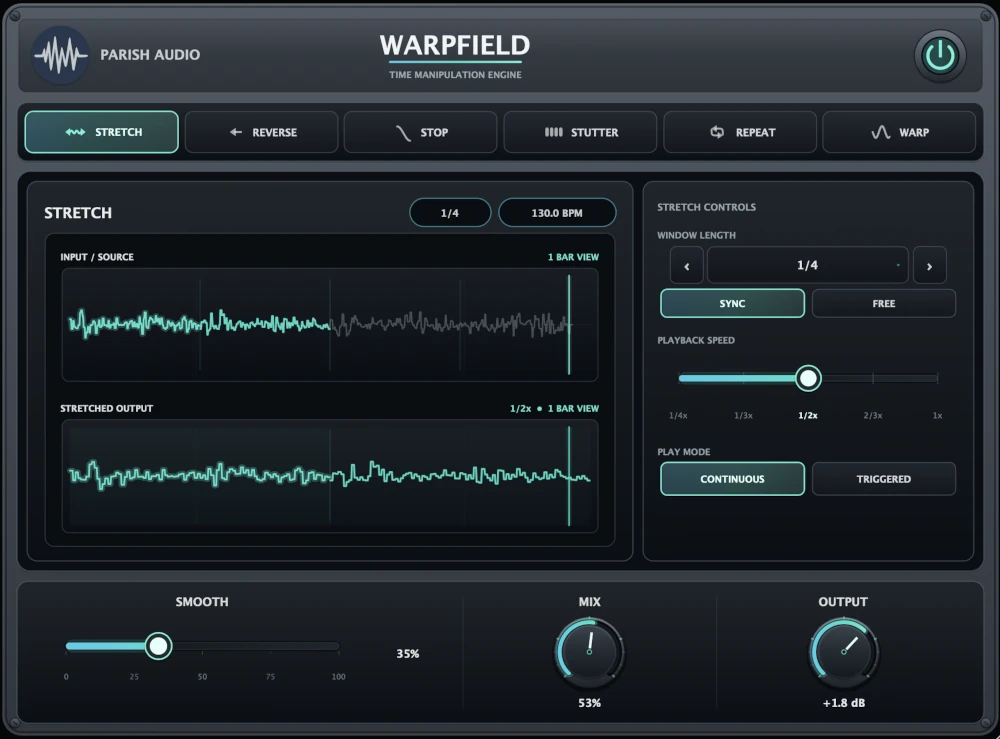
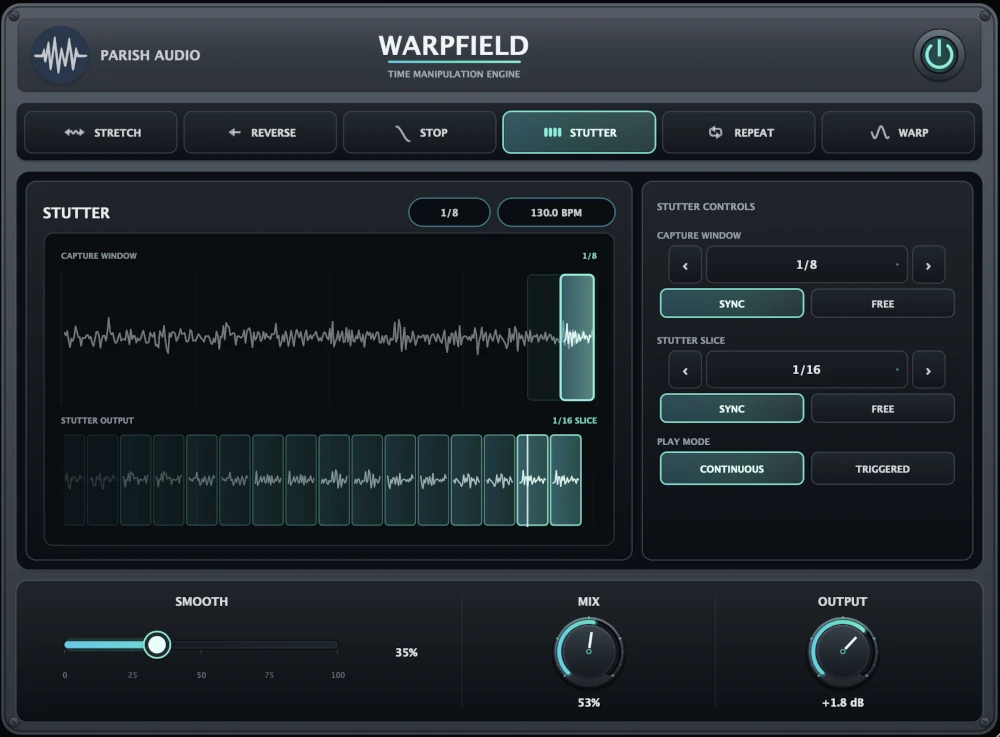
Choose between six different ways to manipulate your audio. Each mode gives you a unique approach to reshaping time, rhythm, and movement. Stretch: Plays captured audio at different speeds, creating new timing, pitch relationships, and melodic patterns. Great for discovering unexpected melodies and atmospheric layers. Reverse: Plays captured sections backward while keeping the processing tied to the surrounding rhythm. Useful for reversed phrases, transitions, and creative rhythmic effects. Stop: Creates tape-style slowdowns and accelerations. Use longer settings for classic tape-stop effects or shorter windows for scratching, pitch dives, and rhythmic movement. Stutter: Repeats short fragments of audio to create chopped, rhythmic effects. Great for glitchy drums, vocals, and electronic music. Repeat: Loops captured fragments to create repeating patterns and new rhythmic variations. Experiment with different loop lengths to reshape the groove of your original track. Warp: Continuously changes playback speed to introduce movement in pitch and timing. Keep it subtle for gentle drifting effects or turn it up for more dramatic transformations.
Choose whether Warpfield's main processing window follows your DAW's tempo or uses a freely adjustable time in milliseconds. Sync mode keeps the effect aligned with the music, while Free mode gives you more flexibility for unusual timing and experimental effects.
Sets the length of audio Warpfield captures for each processing cycle. Shorter windows are great for quick rhythmic effects, glitchy fragments, and rapid movement. Longer windows let you work with larger musical phrases, creating more extended transformations and evolving patterns. When synchronized, you can choose musical divisions ranging from very short notes to multiple bars.
Sets the capture window length in milliseconds when Free timing is enabled. Use it to experiment with timing that doesn't follow traditional musical divisions, or dial in a specific window length for a creative effect.
Controls how quickly captured audio plays back in Stretch mode. Slower speeds change the timing and pitch of the captured material, allowing different portions of the original phrase to play across the processing window. Experiment with different speeds and window lengths to uncover new melodic patterns, slower phrases, and unexpected countermelodies from your original audio.
Chooses the direction of the tape-style speed effect. Select slowdown to make the audio gradually lose speed, or acceleration to bring it back up toward normal playback. Great for classic tape-stop transitions, pitch sweeps, and creative rhythmic effects.
Controls how the playback speed changes during the tape-style effect. Adjust it to move between a more direct speed change and a curved slowdown or acceleration. Use it to shape the feel of your tape stops, from smooth, gradual transitions to more dramatic pitch movement.
Choose whether the repeated fragment length follows your DAW's tempo or uses an independent time in milliseconds. Sync mode is useful for creating repeating patterns that follow familiar musical divisions. Free mode lets you experiment with unusual loop lengths that don't necessarily line up evenly with the beat, opening up possibilities for syncopation and more complex rhythms.
Sets the length of the audio fragment that gets repeated inside the larger capture window. Short lengths create rapid stutters and glitchy patterns, while longer lengths produce more recognizable repeating phrases. Try using a loop length that doesn't divide evenly into the capture window to create interesting rhythmic variations. When the capture window resets, the current repetition ends and the next processing cycle begins, keeping the overall effect tied to the window timing.
Controls how much the playback speed changes in Warp mode. Keep it low for gentle pitch and timing movement, or increase it for more noticeable drifting, bending, and time-warped effects. Great for adding subtle instability to synths, creating unusual textures, or giving a familiar sound a completely different character.
Adjusts how quickly the playback speed moves through its changing pattern in Warp mode. Slower settings create gradual, flowing movement, while faster settings introduce more active changes in pitch and timing. Use it alongside Warp Depth to shape anything from gentle modulation to more dramatic time manipulation.
Switches between Continuous and Triggered operation. Continuous: Keeps the selected effect running as audio plays. Great for evolving textures, repeating rhythms, and effects that remain active throughout a section. Triggered: Lets you activate the effect only when you want it. Useful for adding stutters, tape stops, reverses, and other transformations at specific moments.
Activates the selected processing mode while Warpfield is in Triggered mode. Use it to bring effects into a performance at specific moments, whether you're adding a quick stutter, a dramatic tape stop, or a reversed transition.
Softens the transitions between captured fragments, loops, and processing windows. Lower settings preserve sharper edges and more pronounced rhythmic cuts, while higher settings help the effect flow more smoothly. Great for reducing abrupt transitions when you want a more fluid, natural-sounding result.
Blends Warpfield's processed audio with your original signal. Keep it low for a subtle touch of rhythmic or melodic movement, or turn it up to make the transformed sound more prominent. Try a partial Mix setting with Stretch mode to layer newly generated melodic ideas underneath your original performance, or use a higher setting for more dramatic effects.
Adjusts the final volume after Warpfield's processing. Use it to balance the transformed sound with the rest of your mix or match levels when comparing different settings.
Turns Warpfield's processing on or off. Use it to quickly compare the original audio with your time-manipulated sound without removing the plugin from your signal chain.
Suggested Plugins
Explore a few more Parish Audio plugins that you might like.
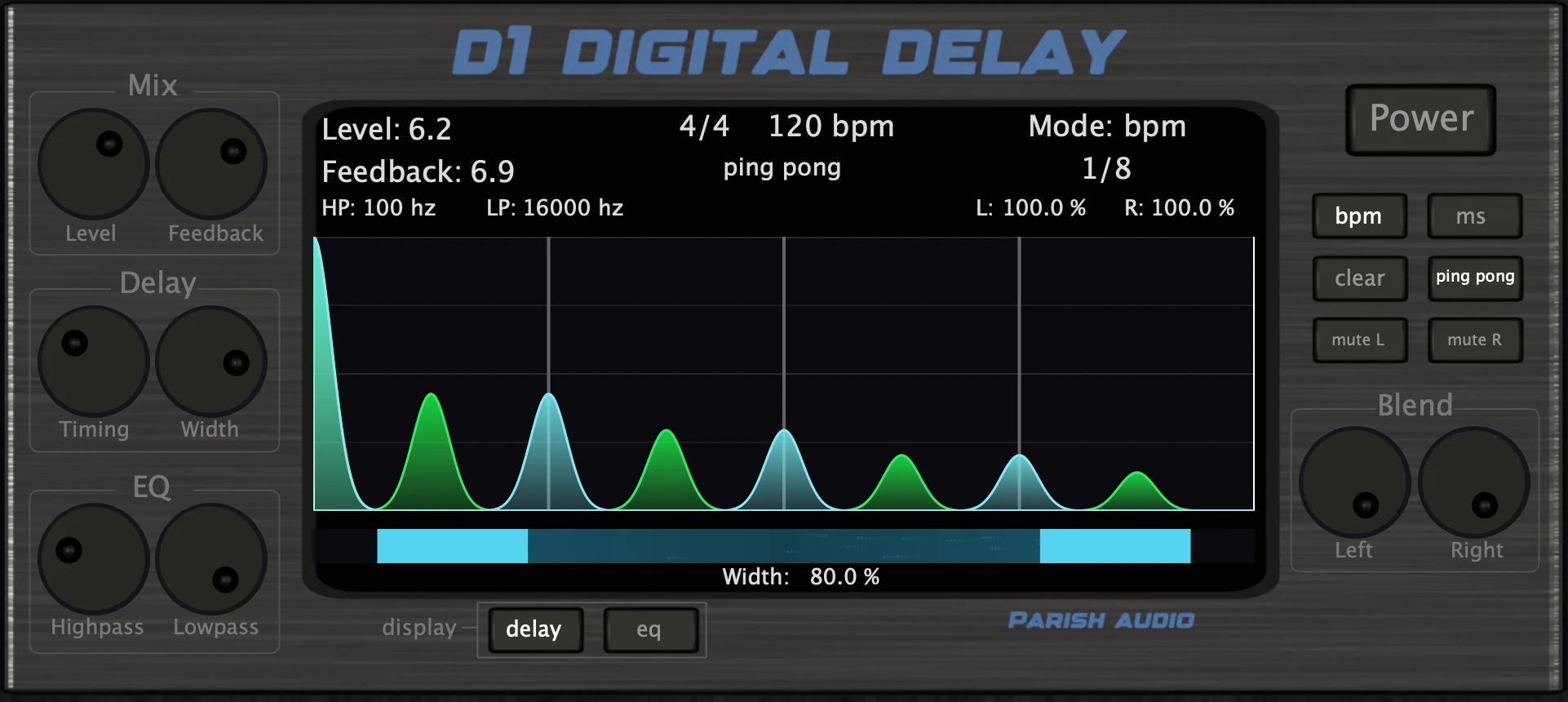
D1 Delay
5 (2)
A versatile delay plugin for everything from subtle echoes to wide, rhythmic stereo effects.
$49.95
$29.97
View
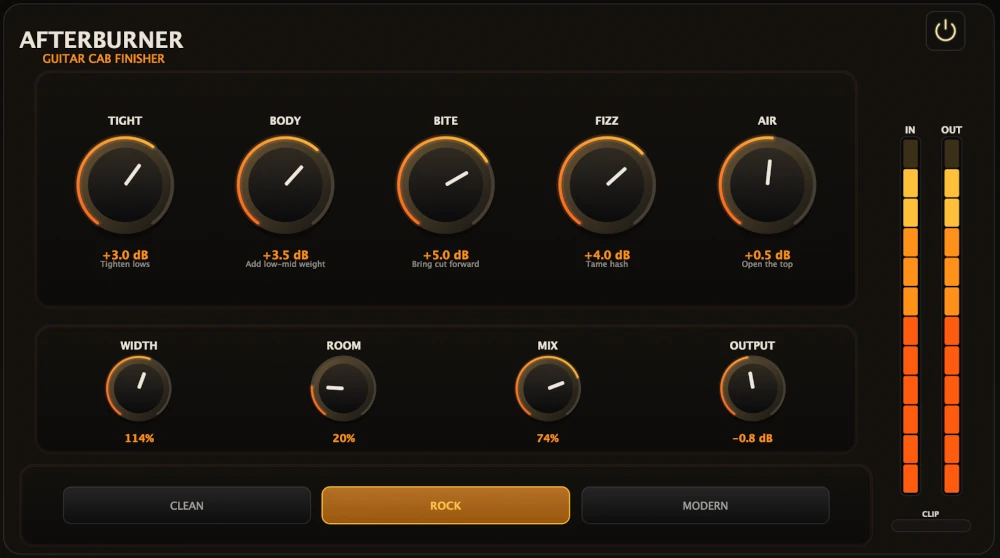
Afterburner Guitar Cab Finisher
5 (2)
Bring out more harmonic depth, sustain, punch, and presence from your favorite guitar tones.
$39.95
$23.97
View
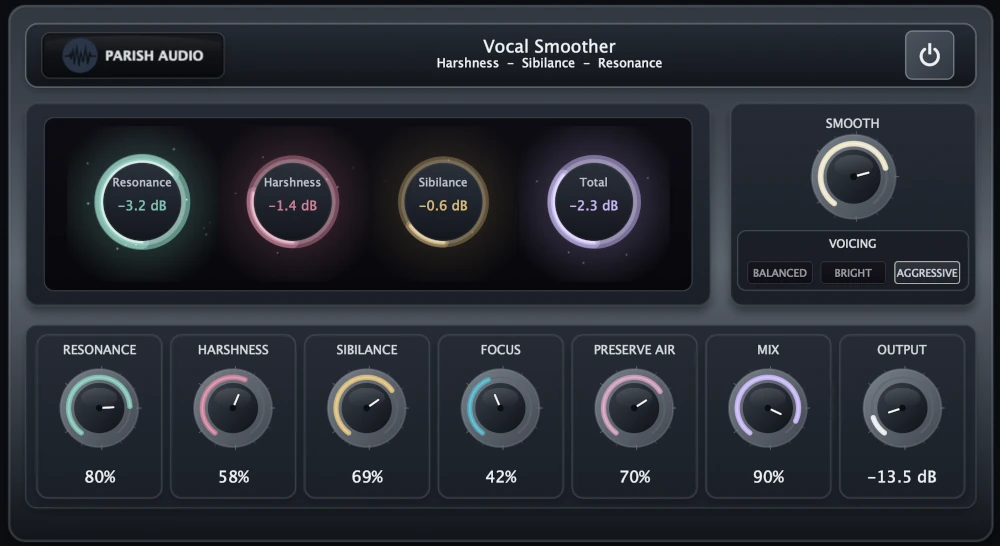
Vocal Smoother
5 (2)
An adaptive vocal smoothing plugin that tames harshness, resonance, and sibilance while preserving clarity and presence.
$69.95
$34.97
View
Format: