

Parish Audio
Flash Sale
40% OFF
All Plugins and Bundles
Through November 19
Discount applied automatically
Download Information
Availability: In stock. This product is delivered as an instant digital download.
Download the plugin installer for your device here.
To obtain a license, purchase the plugin or start a subscription free trial (can be cancelled any time).
After installation, open the plugin in your DAW and sign in with your email address and password to unlock it.
DGR Digital Degrader
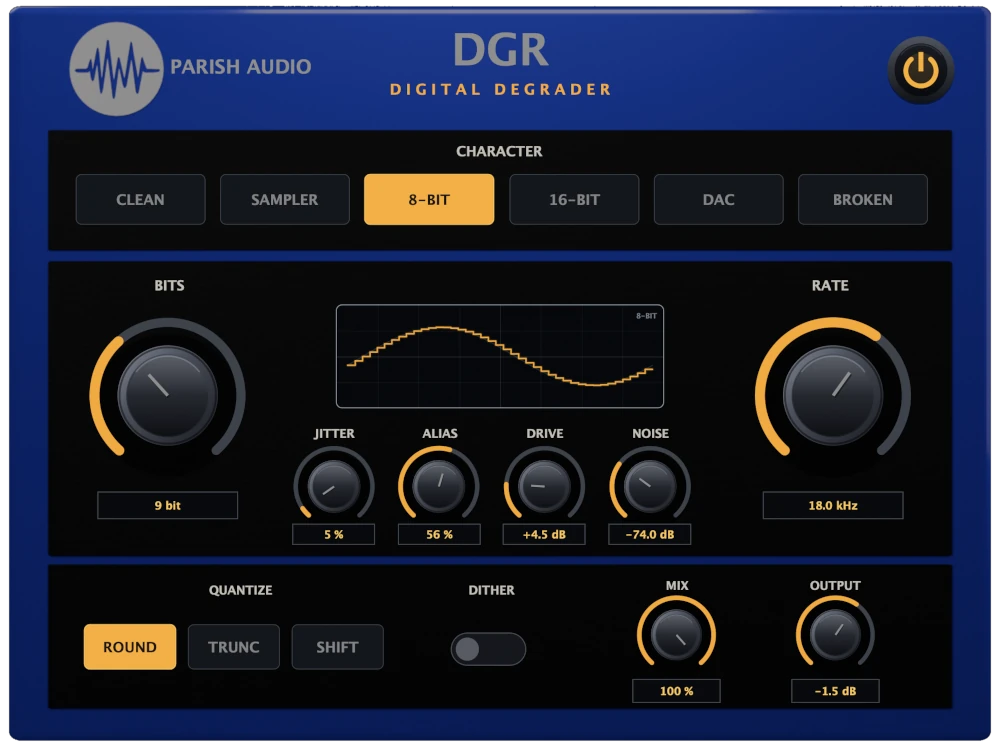
Create lo-fi textures, vintage digital character, and everything from subtle degradation to complete sonic destruction with DGR Digital Degrader. Shape your sound with bit-depth and sample-rate reduction, jitter, aliasing, drive, noise, dither, multiple quantization styles, and six distinct Character modes inspired by imperfect converters, vintage samplers, early digital hardware, and unstable circuitry.
(0 reviews)
Purchase this plugin
$39.95
$23.97
Sale price applied automatically at checkout.
One-time purchase. Add this plugin to your cart and own it permanently.
Subscription
Try it free for 7 days with an all access subscription.
$9.95 per month for access to all plugins. Cancel anytime.
Overview
Lo-fi doesn’t have to mean one particular sound. It can be the crunch of a low-bit sampler, the rough edges of an early digital converter, unstable sample-clock timing, metallic aliasing, or the noise and imperfections of aging hardware. DGR Digital Degrader gives you hands-on control over all of those elements, making it easy to move from subtle vintage digital texture to aggressive bitcrushing, broken converters, and completely mangled audio. At the center of DGR are six Character modes that change how the degradation behaves. Clean gives you a more straightforward digital reduction path, while Sampler brings in the filtered, slightly colored feel of older sampling hardware. 8-Bit pushes things toward a rougher and more aggressive response, while 16-Bit gives you a cleaner early-digital character. DAC focuses more on converter coloration and reconstruction, and Broken introduces unstable clock behavior and additional digital roughness when you want things to start falling apart. From there, you can decide exactly how far to take it. Bits reduces the available amplitude resolution, giving you everything from subtle digital texture to aggressive low-bit crunch. Rate lowers the effective sample rate and changes how frequently the signal is captured. Jitter introduces timing instability into that sampling clock, while Alias lets you control how much high-frequency content folds back into the audible range. Together, these controls let you shape the character of the degradation instead of relying on a single generic bitcrusher sound. DGR also gives you control over what happens around the conversion process itself. Drive pushes the signal harder before degradation, adding density and digital overload when you want a stronger effect. Noise introduces a controllable hardware-style noise floor, while Dither changes the way low-level detail interacts with the quantization stage. Three Quantize modes — Round, Trunc, and Shift — give the bit-reduction stage different responses, letting you explore everything from conventional quantization to more unusual digital textures. The built-in display gives you a visual look at what Bits and Rate are doing to the signal. As bit depth is reduced, the waveform is forced into fewer vertical amplitude levels. Lower the sample rate and the horizontal resolution becomes more widely spaced, while Jitter introduces irregularity into the timing. It’s a simple way to see the same changes you’re hearing as the signal becomes increasingly degraded. DGR can be subtle when you want it to be. Use higher bit depths, moderate sample rates, and a little converter character to give drums, synths, guitars, vocals, or full mixes a hint of lo-fi texture and early-digital character. Or push Bits and Rate down, increase Jitter and Alias, switch to Broken mode, and turn a clean source into something unstable, crunchy, and barely recognizable. Whether you’re building lo-fi beats, recreating the character of vintage samplers and digital hardware, adding texture to drums and synths, or deliberately destroying a signal for sound design, DGR gives you a focused set of controls for shaping how digital audio falls apart. Available in VST3 format for Windows and VST3 and AU formats for macOS.
Highlights
Create lo-fi textures and vintage digital character with six distinct modes: Clean, Sampler, 8-Bit, 16-Bit, DAC, and Broken.
Go beyond a basic bitcrusher with independent control over bit depth, sample-rate reduction, jitter, and aliasing.
Choose between Round, Trunc, and Shift quantization styles, with optional dither for shaping how low-level detail and digital distortion break apart.
Add pre-conversion Drive and adjustable Noise for everything from subtle converter coloration to gritty, degraded hardware textures.
Available for Windows (VST3) and macOS (VST3 and AU).
Controls
Selects the overall style of digital degradation. Each Character mode changes more than just the control settings — it changes how DGR responds to the signal, including filtering, converter coloration, clock behavior, distortion, noise, and other characteristics.
A more direct and controlled digital reduction path. Great when you want the sound of bit-depth or sample-rate reduction without adding much extra coloration.
Adds the filtered, slightly colored character associated with older digital sampling hardware. A good starting point for drums, synths, loops, and anything that could use a vintage sampler or lo-fi feel.
Rougher, narrower, and more aggressive. Great for crunchy drums, retro game-inspired textures, synths, percussion, and more obvious low-resolution effects.
A cleaner early-digital character with less extreme coloration. Useful when you want a little vintage digital texture without completely breaking the signal apart.
Focuses more on converter and reconstruction character, with a smoother but more colored response. Try it when you want digital texture that feels less like an obvious bitcrusher and more like audio passing through an imperfect converter.
Pushes DGR into unstable territory with stronger clock irregularities and additional signal-dependent digital roughness. Great for glitchy drums, destroyed loops, aggressive sound design, and effects that feel like the hardware is starting to fail.
Controls the bit depth used during quantization. Lower values reduce the number of available amplitude levels, making the signal progressively more stepped, crunchy, and distorted. Higher settings can add subtle digital texture, while very low settings create obvious bitcrusher and lo-fi effects. Push it all the way down when you want the signal to become dramatically simplified and aggressive.
Controls the effective sample rate of the degradation stage. Lower settings capture the signal less frequently, creating a more obvious stepped, aliased, and digitally reduced sound. Higher settings retain more of the original detail while still allowing the other degradation controls to shape the result. Try moderate reductions for vintage sampler and lo-fi textures, or take it much lower for aggressive digital destruction.
Introduces instability into the timing of the reduced sample clock. At lower settings, Jitter adds subtle irregularity and movement. Higher settings make the timing increasingly unstable, creating a rougher and less predictable digital character. The effect also changes depending on the selected Character mode, making Jitter useful for everything from subtle converter imperfections to deliberately broken digital timing.
Controls how much high-frequency content is allowed to bypass DGR’s anti-alias filtering before sample-rate reduction. Lower settings give you a more controlled, filtered degradation. Turn Alias up to allow more frequencies to fold back into the audible range, creating the metallic, inharmonic textures associated with aggressive digital downsampling. It’s especially useful alongside lower Rate settings when you want a more raw, crunchy, and obviously lo-fi sound.
Pushes the signal harder before it reaches the digital degradation stage. Use lower settings to add a little extra density and converter character, or increase Drive when you want the quantization and sample-rate reduction to react more aggressively. Because Drive happens before the degrading process, it can change the texture of the resulting distortion rather than simply making the output louder.
Adds a controllable digital hardware-style noise floor to the processed signal. Keep it low for subtle converter character, or increase it when you want more noticeable hiss, grit, and lo-fi texture. Different Character modes can give the noise a slightly different response, helping it blend naturally with the type of degradation you’ve selected. Unlike Dither, Noise is an intentional audible character control and can remain present even when no input signal is playing.
Changes the way incoming sample values are converted to the reduced bit depth. Round: Uses conventional nearest-level quantization for a balanced, symmetrical response. Trunc: Truncates values toward zero, creating a slightly different harmonic structure and a more abrupt style of reduction. Shift: Uses an offset quantization response for a more unusual digital texture while maintaining a true zero region around silence. The differences become much more noticeable as Bits is reduced, so try switching between the modes at lower bit depths to hear how each one changes the character of the distortion.
Adds low-level noise before quantization. Dither changes how very small signal values interact with the available quantization levels and can create a smoother, noisier character as bit depth is reduced. Its effect is subtle at higher bit depths and becomes much more noticeable when working at low resolutions. Try it both on and off — particularly with Bits set low — to hear how it changes the texture of the degradation.
Blends DGR’s processed signal with the original audio. Turn Mix down to introduce lo-fi or degraded character underneath the clean signal, or increase it when you want the digital processing to become a more dominant part of the sound. Parallel blending can work especially well on drums, vocals, synths, and full loops when you want aggressive texture without completely losing the original attack and detail.
Adjusts the final output level after DGR’s processing. Use it to compensate for level changes created by Drive, degradation, Noise, or different Character settings, or to match the processed signal with the original when comparing sounds.
Adjusts the final output level after DGR’s processing. Use it to compensate for level changes created by Drive, degradation, Noise, or different Character settings, or to match the processed signal with the original when comparing sounds.
Suggested Plugins
Explore a few more Parish Audio plugins that you might like.
D1 Delay
5 (2)
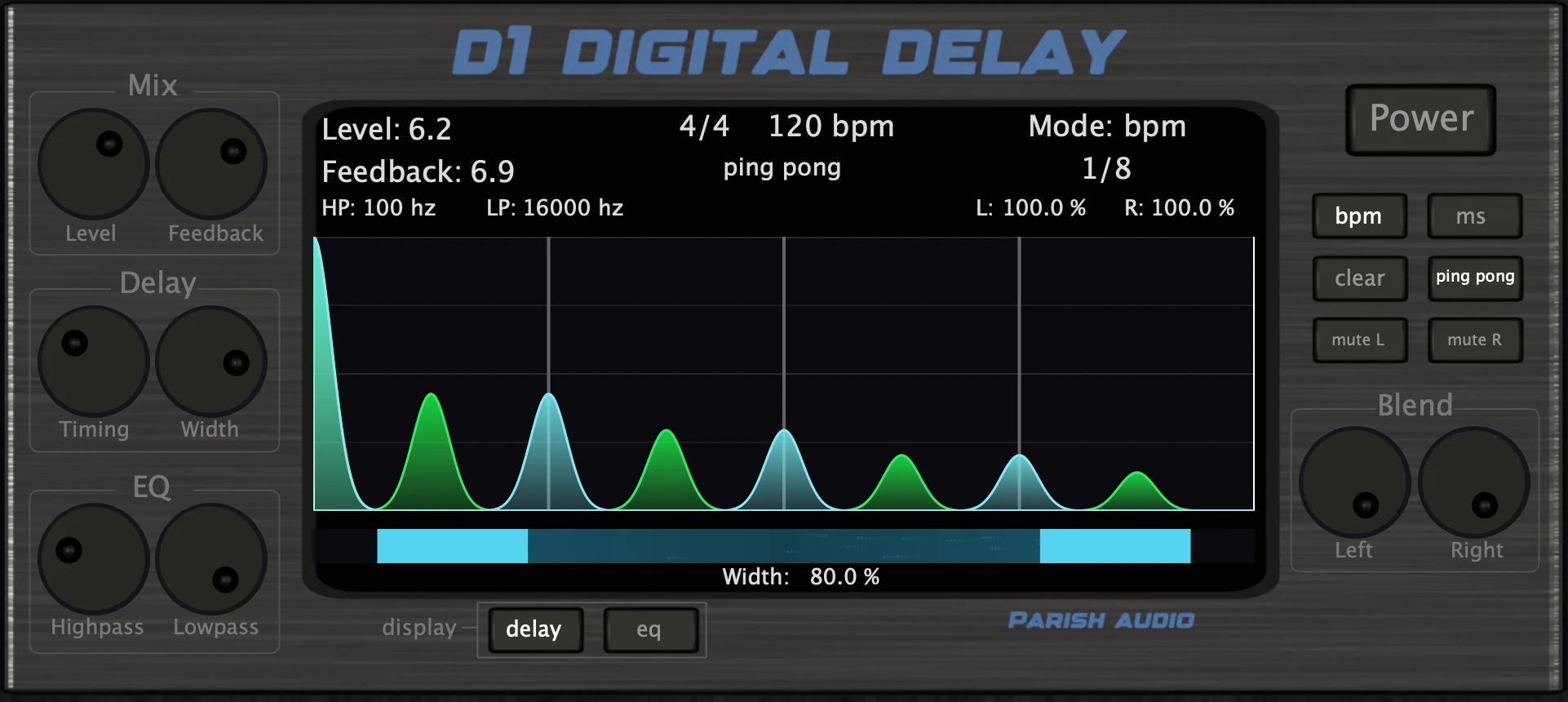
A versatile delay plugin for everything from subtle echoes to wide, rhythmic stereo effects.
$49.95
$29.97
View
Afterburner Guitar Cab Finisher
5 (2)
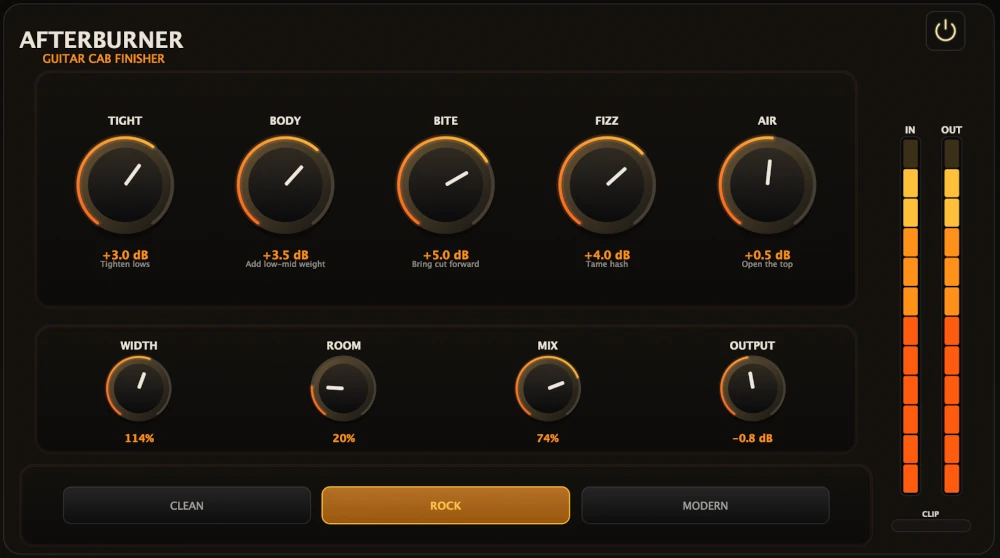
Bring out more harmonic depth, sustain, punch, and presence from your favorite guitar tones.
$39.95
$23.97
View
Vocal Smoother
5 (2)
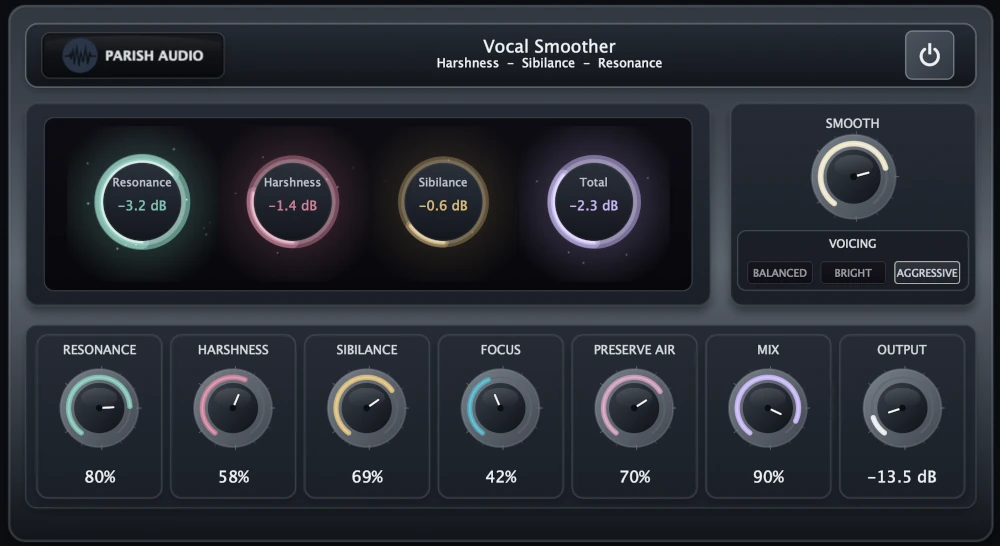
An adaptive vocal smoothing plugin that tames harshness, resonance, and sibilance while preserving clarity and presence.
$69.95
$34.97
View
Format: