

Parish Audio
Fall Sale
40% OFF
All Plugins and Bundles
Through October 15
Discount applied automatically
Download Information
Availability: In stock. This product is delivered as an instant digital download.
Download the plugin installer for your device here.
To obtain a license, purchase the plugin or start a subscription free trial (can be cancelled any time).
After installation, open the plugin in your DAW and sign in with your email address and password to unlock it.
Vocal Pro
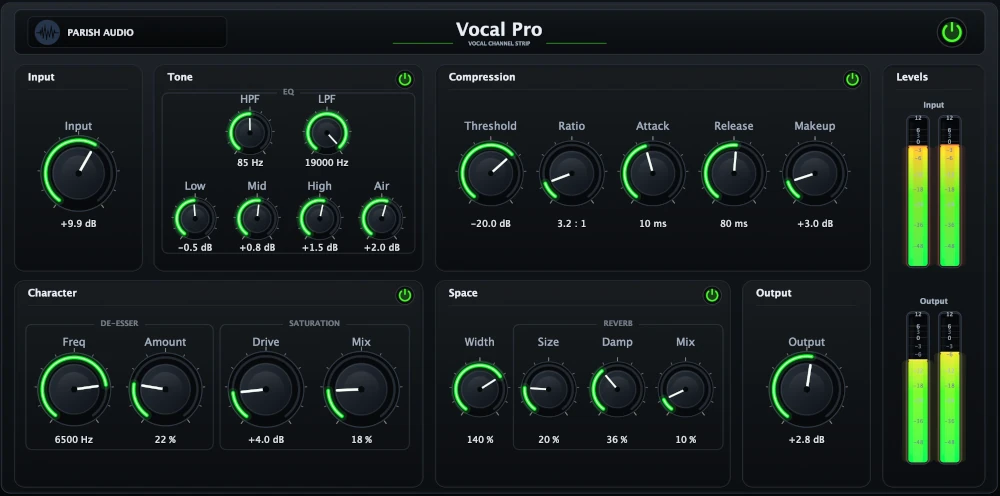
Get your vocals sounding clear, balanced, and polished without juggling a bunch of separate effects. Vocal Pro brings EQ, compression, de-essing, saturation, and reverb together in one easy-to-use vocal processing plugin.
(0 reviews)
Purchase this plugin
$69.95
$41.97
Sale price applied automatically at checkout.
One-time purchase. Add this plugin to your cart and own it permanently.
Subscription
Try it free for 7 days with an all access subscription.
$9.95 per month for access to all plugins. Cancel anytime.
Overview
Getting a vocal to sit just right in a mix isn't always easy. Maybe some words are too loud while others get buried, the tone feels a little muddy, or those sharp "S" sounds jump out more than you'd like. Vocal Pro brings the tools you need to tackle these problems together in one plugin, so you can spend less time managing effects and more time making music. Start by shaping your vocal with the built-in EQ. Add warmth, bring out clarity, or clean up frequencies that are getting in the way. From there, use the compressor to smooth out uneven levels and help the vocal stay present in the mix. The de-esser takes care of harsh consonants, while the saturation section lets you add a little extra body and character when the recording needs it. Want to give your vocal some space? The built-in reverb makes it easy to add anything from a subtle sense of depth to a bigger, more atmospheric sound. Each section gives you the control to make small adjustments or more noticeable changes, depending on what the track needs. Whether you're working on a lead vocal, blending background harmonies, or polishing a spoken-word recording, Vocal Pro gives you a complete set of vocal mixing tools in one convenient place. No need to keep switching between plugins or building the same effects chain from scratch. Just dial in your sound and keep your session moving. Available as a VST3 plugin for Windows and in VST3 and AU formats for macOS.
Highlights
Shape and polish your vocals with EQ, compression, de-essing, saturation, and reverb in one plugin.
Smooth out uneven vocal levels and help every word sit more consistently in the mix.
Add warmth, clarity, and presence while keeping harsh frequencies and sibilance under control.
Give your vocals depth and character without building a complicated chain of separate effects.
Available for Windows (VST3) and macOS (VST3 and AU).
Controls
Adjusts the incoming level before the vocal hits the processing chain. Use it to optimize the signal going into Vocal Pro and set a strong starting point for the rest of your vocal processing.
Removes unnecessary low-end rumble and unwanted sub frequencies from the vocal. This helps clean up the signal and creates more space in the mix.
Rolls off excessive high frequencies to smooth the top end of the vocal. This can help control harshness and create a more refined tone.
Shapes the low-frequency body of the vocal. Use it to add warmth and fullness or reduce muddiness and excess weight.
Adjusts the midrange character of the vocal. This is useful for bringing out presence and intelligibility or reducing boxiness and nasal frequencies.
Controls upper-frequency clarity and bite. Use it to help the vocal cut through the mix or soften an overly sharp tone.
Adds openness and top-end polish to the vocal. This control is useful for creating a more expensive, modern sense of clarity and sheen.
Sets the level where compression begins. Lower settings apply compression more readily, helping smooth out dynamics and keep the vocal more consistent.
Controls how strongly the compressor reduces gain once the signal crosses the threshold. Lower ratios sound more natural, while higher ratios produce firmer vocal control.
Adjusts how quickly the compressor reacts to incoming peaks. Faster settings tighten the vocal more aggressively, while slower settings preserve more natural transient detail.
Sets how quickly the compressor stops reducing gain after the signal falls back below the threshold. This helps control the feel and smoothness of the vocal compression.
Adds output gain after compression to restore level and keep the processed vocal sitting where you want it in the mix.
Targets the frequency area where sibilance is most noticeable. Use it to focus the de-esser on harsh consonants and sharp upper-mid or high-frequency content.
Controls how strongly the sibilant frequencies are reduced. Increase it to tame harshness and keep the vocal smoother and easier to listen to
Adds harmonic richness, density, and character to the vocal. Use it subtly for warmth and thickness or push it further for more color and edge.
Sets how much saturation is blended into the mix. Use lower setting to keep things clean and clear, increase the blend to add warmth and body.
Controls the overall scale and depth of the reverb space. Lower settings feel tighter and more intimate, while higher settings create a larger, more atmospheric vocal ambience.
Shapes how quickly the top end of the reverb tail fades away. This helps control brightness and keeps the ambience from becoming harsh or cluttered.
Sets how much reverb is blended into the vocal. Use lower settings for subtle space or higher settings for a more obvious ambient effect.
Controls the final output level of the plugin after processing. Use it to balance the finished vocal level against the rest of your mix.
Suggested Plugins
Explore a few more Parish Audio plugins that you might like.
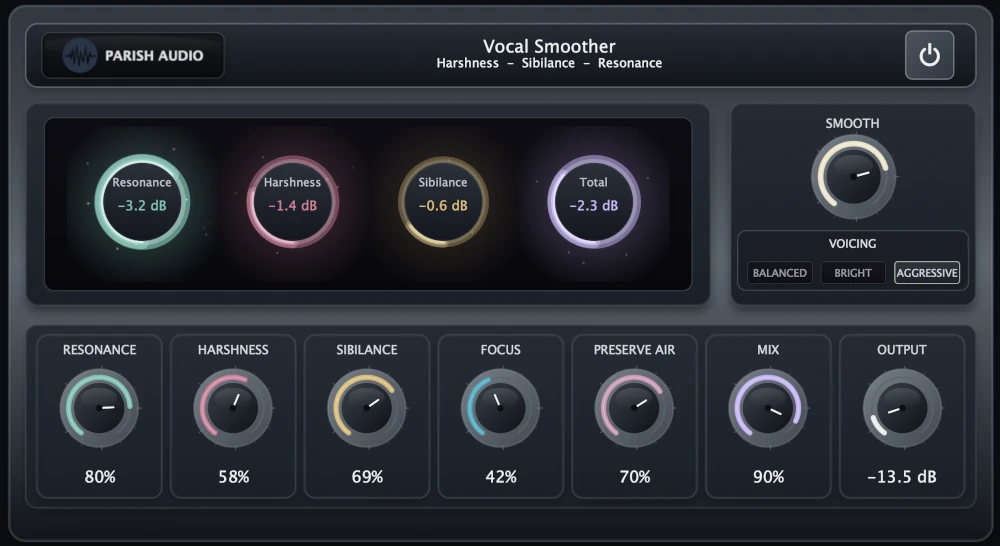
Vocal Smoother
5 (1)
An adaptive vocal smoothing plugin that tames harshness, resonance, and sibilance while preserving clarity and presence.
$69.95
$41.97
View
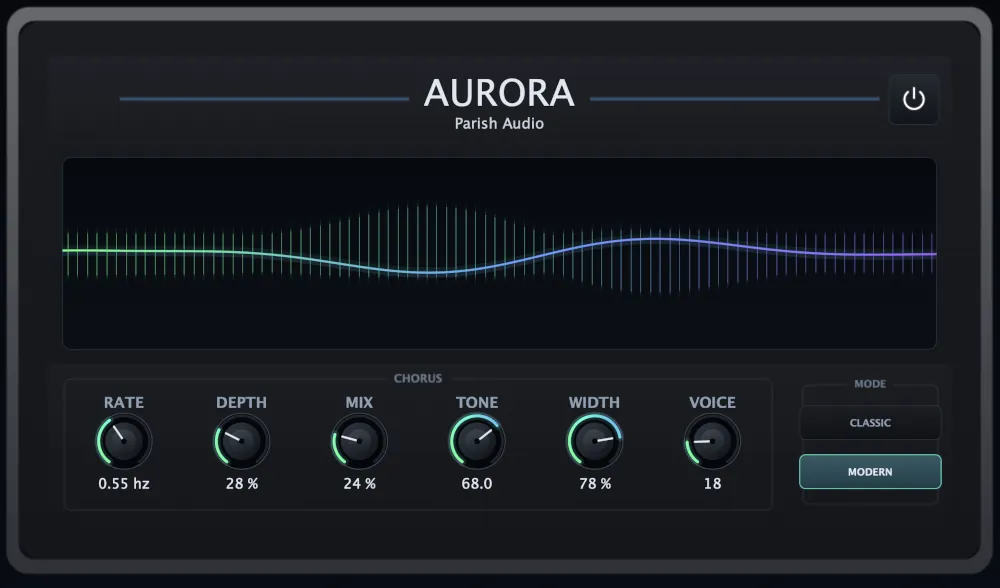
Aurora Chorus
5 (1)
A versatile chorus plugin for adding width, richness, and smooth, expressive movement.
$49.95
$29.97
View
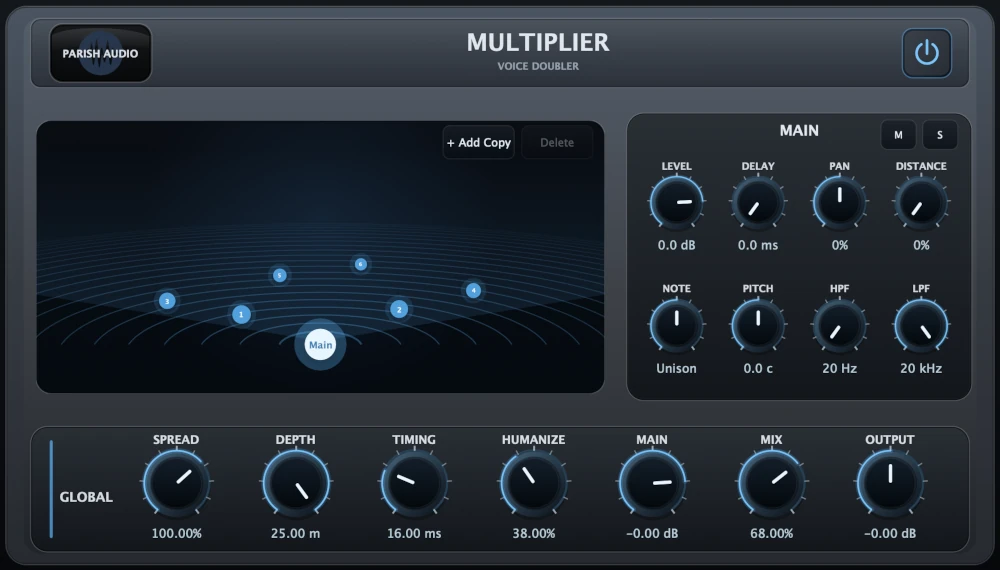
Multiplier
5 (1)
A versatile vocal doubler plugin that turns one recording into natural doubles, wide stereo layers, and rich vocal stacks.
$69.95
$41.97
View
Format: